Online accounting
Your accounting, without the trip
Send your documents from the office, from home or from your phone. We handle everything remotely — with the same close attention as always.
How it works
- 01
You get an invitation
We create your account and email you an invitation. There is no public sign-up: the only way in is an invitation from us.
Gescer — Contabilidade e Gestão
Inbox
Your invitation to the Client Area
We have created your account in the Client Area. Set your password and you can start sending us documents.
Set your password - 02
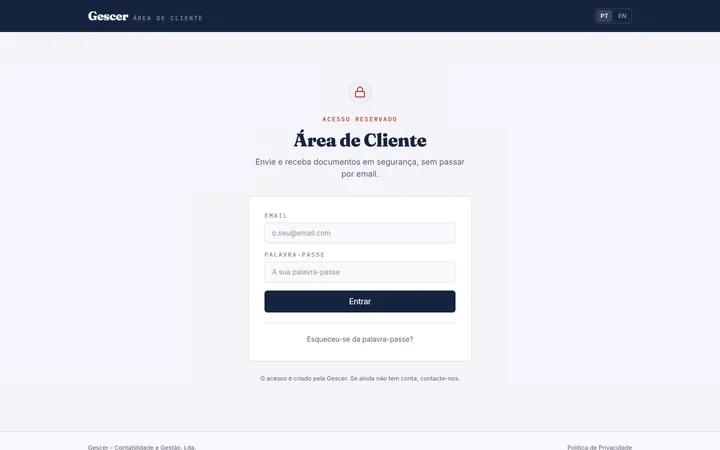
You sign in to the Client Area
Set your password and sign in from any computer or phone. There is nothing to install.
- 03
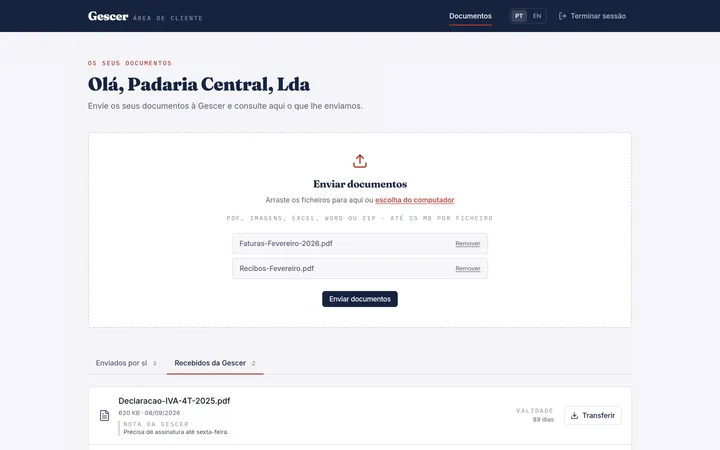
You send your documents
Drag invoices, receipts or statements onto the page, check the list and send. We are notified the moment they arrive.
- 04
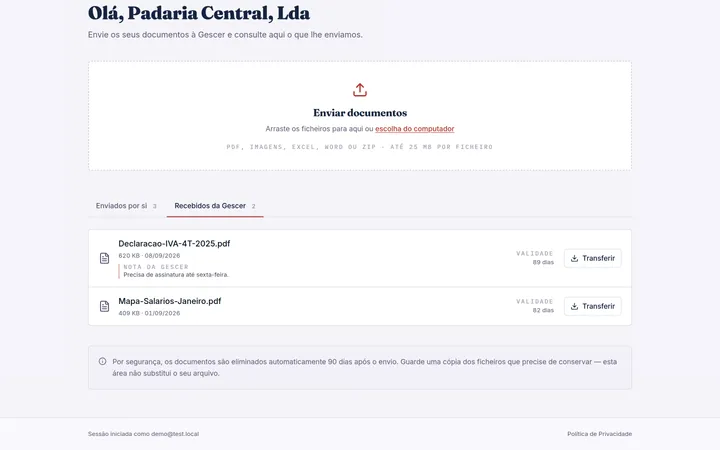
You get back what you need
Tax returns, payroll summaries and anything else we prepare for you are available to download on the same page.
Gescer — Contabilidade e Gestão
Inbox
Your invitation to the Client Area
We have created your account in the Client Area. Set your password and you can start sending us documents.
Set your password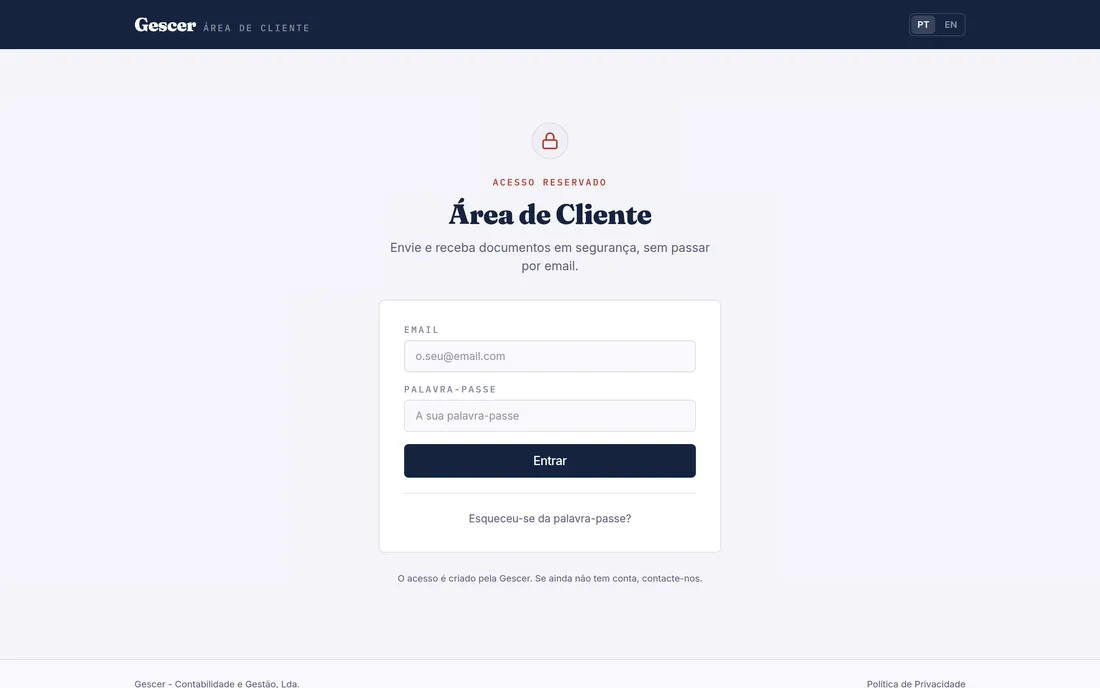
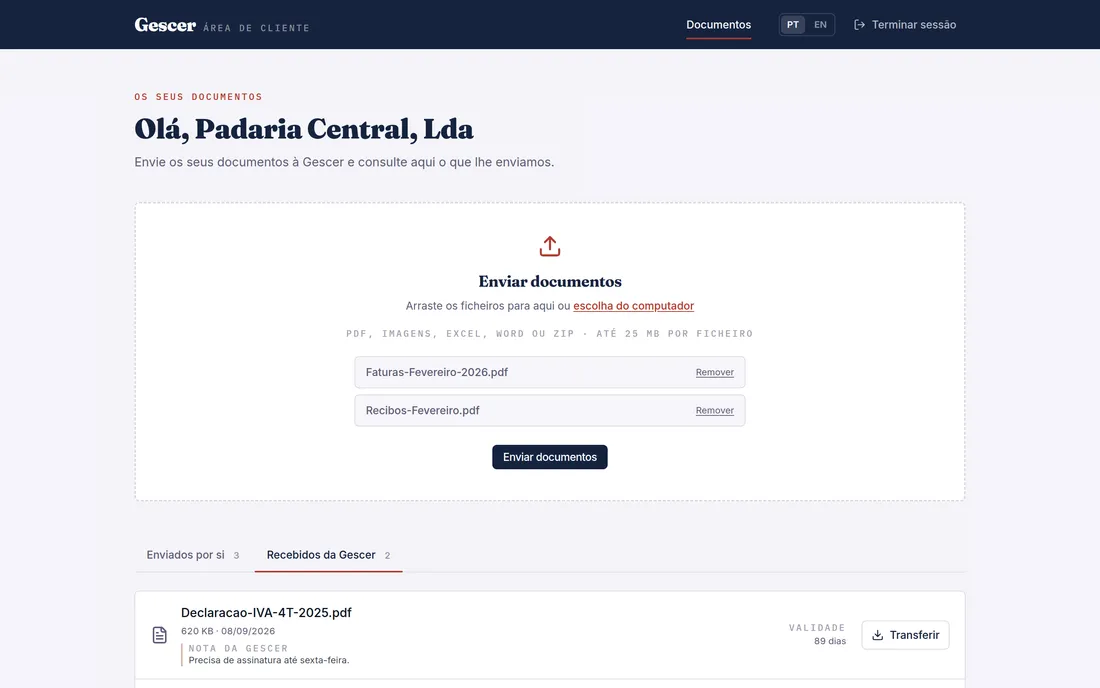
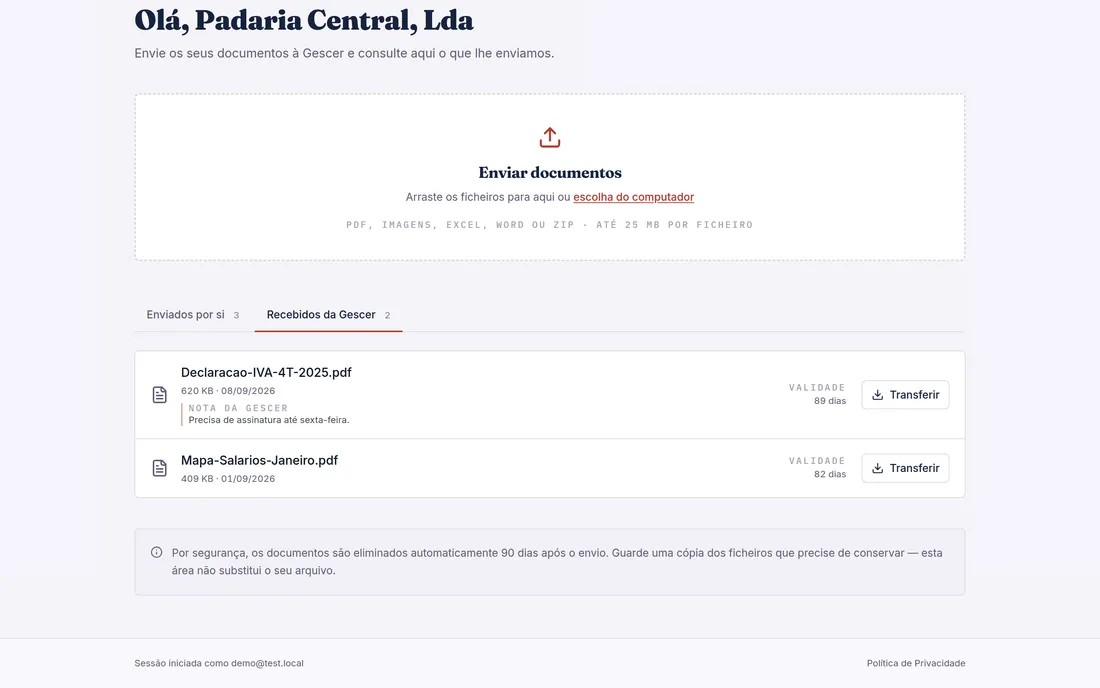
The Client Area
It is not a contact form or a shared mailbox. It is a private area where only you can see your own documents.
Go to the Client Area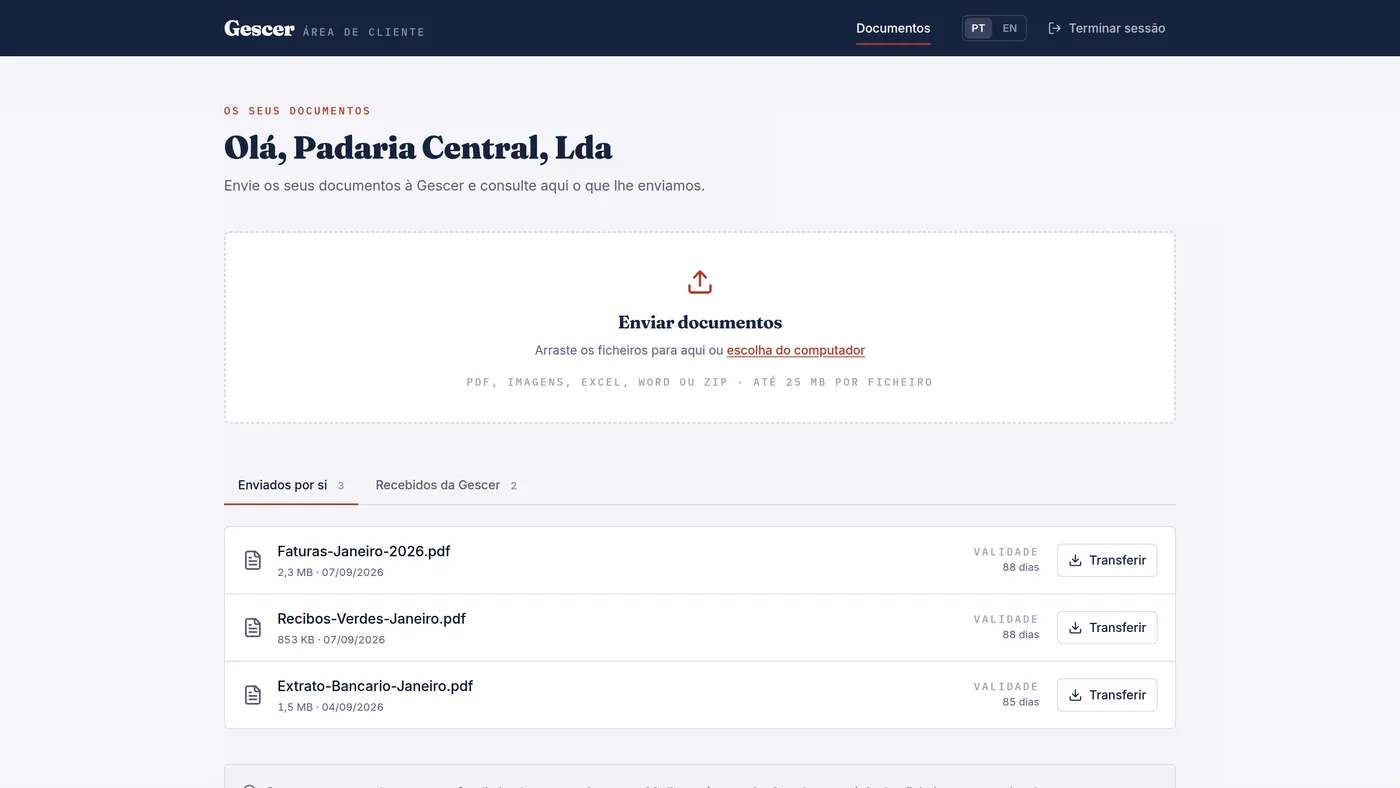
25 MB
per file
9
file formats accepted
90
days until deletion
0
emails with attachments
What you no longer have to do
Before
- Drive to the office with a folder of documents
- Send email attachments and hope they arrive
- Split large files across several emails
- Ask whether your documents were received
Now
- Drag your files onto the page
- Check the list before sending
- Get confirmation straight away
- Find everything in one place
Where your documents live
In the European Union
Your documents and your account details are held on servers inside the European Union.
Yours alone
Each client sees only their own documents, and that boundary is checked on every single request.
By invitation only
There is no public sign-up. Accounts are created by us, one at a time.
Deleted after 90 days
Documents are removed automatically. This is a delivery channel, not an archive.
Let's begin
Shall we start?
Get in touch and we will create your Client Area account.